Updated 2 Nov 2026
Is the Logitech POP Keys Wireless Mechanical Keyboard worth it?
Only if you love the look.
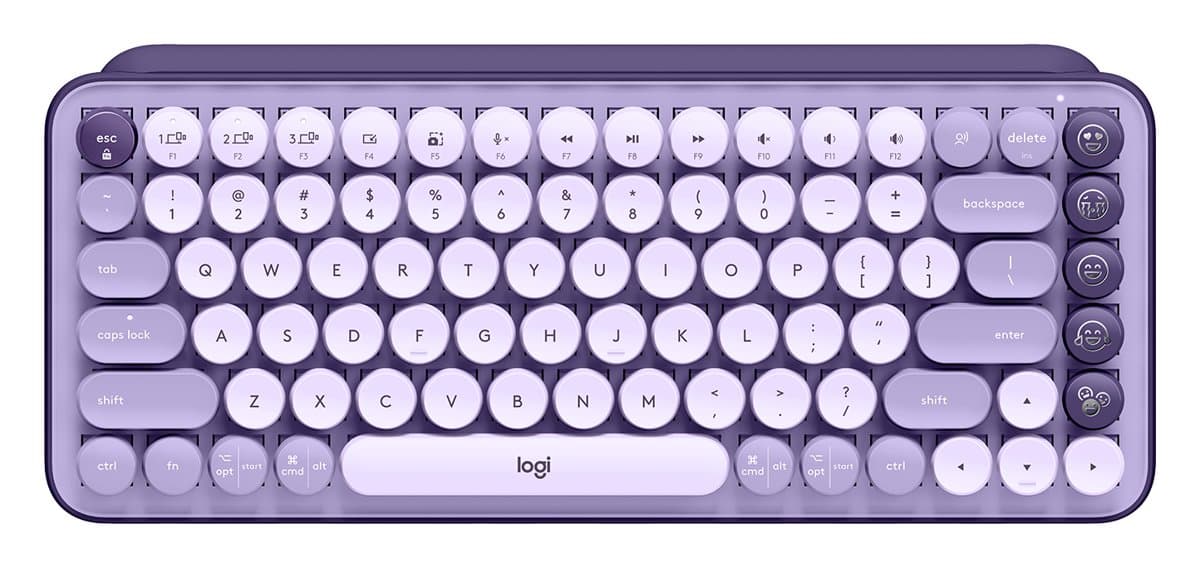
Its round, typewriter-style keycaps sit on clicky tactile mechanical switches, in bright colours, with dedicated emoji keys you can remap. It's compact, switches between three devices over Bluetooth or a USB receiver, and two AAA batteries last up to three years. But testers found the small round keys hard to type on accurately, especially with large hands, it's loud for a shared office, it isn't backlit, and it costs more than better keyboards for typing.
Good to know
- The small, round keycaps make typos easy, especially for large hands.
- Clicky and loud.
- No backlight.
- Pricey for its typing experience.
- Typewriter look, bright colours
- Mechanical, clicky keys
- Three devices, years on batteries
We earn a commission from these links.
Get it if…
- You want a fun, colourful keyboard for a home desk.
- You like a clicky, typewriter feel.
Skip it if…
- You type a lot and need accuracy: the MX Keys S.
- You share an office: the POP Icon Keys are quieter.
More on the POP Keys
How we reached this verdict
TechRadar liked the fun design, satisfying keys and connection options but found the keys small for larger hands and the connection occasionally dropping. Tom's Guide found it hard to type on, with limited customisation and disposable batteries, and Trusted Reviews calls it vibrant and versatile but says typing accurately can be a struggle.
We compared independent expert reviews with the manufacturer's specifications, then checked it's sold at a major retailer where you live. We don't test products ourselves.
Sources: TechRadar, Tom's Guide, Trusted Reviews, Logitech, RTINGS, RTINGS, Engadget, Trusted Reviews, manufacturer specifications.
Updated 2 Nov 2026How we decide