Logitech Alto Keys K98M Wireless Mechanical Keyboard vs Logitech MX Keys S Wireless Keyboard
Get the Logitech MX Keys S. Unless you want the feel of a mechanical keyboard and don't mind a little noise — then the Alto Keys K98M.
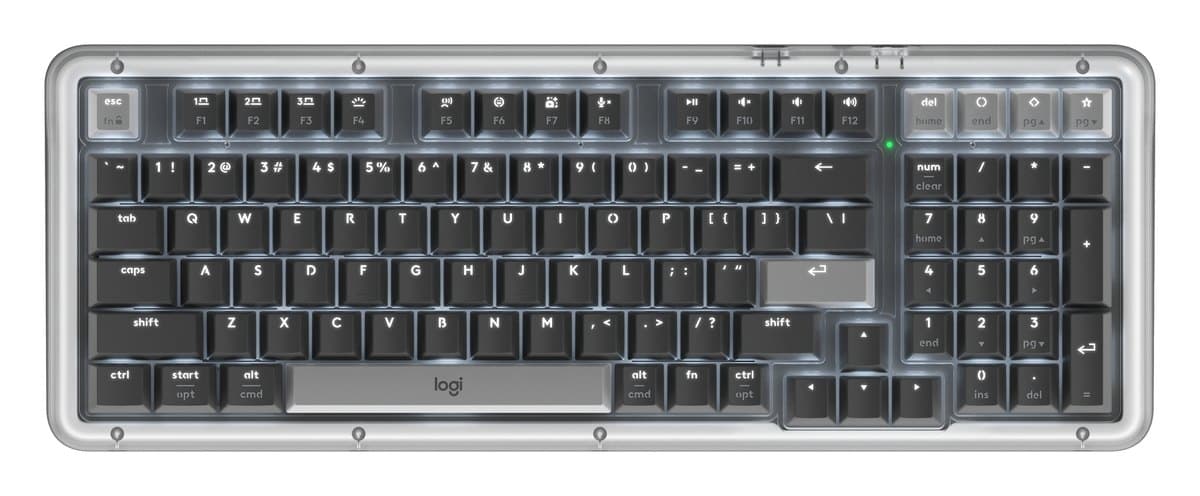
Logitech Alto Keys K98M Wireless Mechanical Keyboard
Logitech's cushioned mechanical keyboard for typing: smooth pre-lubed keys, a compact layout that keeps the number pad, a backlight and three devices. Louder than the MX Keys.
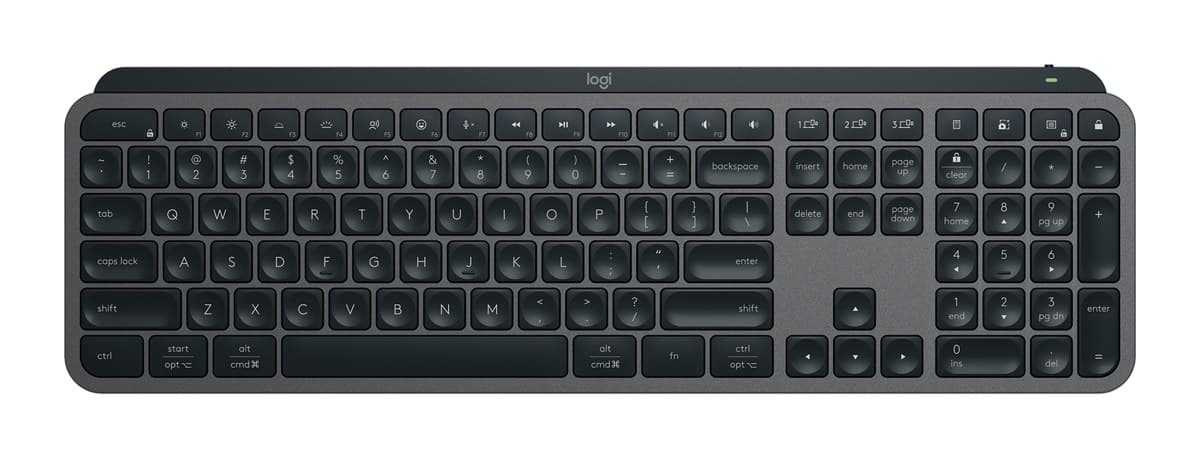
Logitech MX Keys S Wireless Keyboard
The best keyboard for most desks: lovely, quiet low-profile keys, a solid build, a backlight that wakes as your hands get close, and three devices at the press of a key.
We earn a commission from these links.
The MX Keys S is quieter, lower and comfortable without a wrist rest, with a backlight that wakes as your hands approach. The K98M has a softer, deeper mechanical feel and a compact layout that keeps the number pad, but it's louder and best with a wrist rest.
- —You love mechanical keys.
- —You want a smaller desk footprint with a number pad.
- —You work alone in your room.
- —You share an office or take calls.
- —You want low keys without a wrist rest.
- —You prefer a laptop-like feel.
Key differences
Pros and cons
- +Soft, cushioned mechanical typing
- +Compact, with a number pad
- +Backlit, three devices
- −Louder than a scissor-key keyboard, so not for quiet shared offices.
- −Most comfortable with a wrist rest, which isn't included.
- −The software only records simple macros on a few keys.
- +Lovely, quiet low-profile keys
- +Backlight that wakes as your hands approach
- +Switches between three devices
- −About 10 days per charge with the backlight on; months with it off.
- −Too much delay for competitive gaming.
- −Big and heavy to carry about.
For the curious
A deeper look at full specs.
Layout
98 keys on the Alto Keys; full size on the MX Keys S. Both are backlit.
Battery
Up to 12 months with the light off against 5 months.
Technical specifications
| Alto Keys K98M | Logitech MX Keys S | |
|---|---|---|
| Layout | 98 keys, compact with number pad | Full size with number pad |
| Type | Mechanical, wireless | — |
| Backlight | White | Yes, turns on as your hands approach, adjusts to room light |
| Connection | Logi Bolt USB receiver or Bluetooth Low Energy; Easy-Switch between 3 devices | Bluetooth or Logi Bolt receiver; up to 3 devices |
| Battery | Rechargeable, up to 12 months with backlight off | Rechargeable, 1,500 mAh: up to 10 days with backlight, 5 months without |
| Special keys | 3 customisable action keys | — |
| Size | 401 × 147 × 39.6 mm | 430 × 132 × 21 mm |
| Weight | 1,100 g | 810 g |
| Software | Logi Options+ on Windows and macOS | — |
From the maker's spec sheet for the Alto Keys K98M (Logitech Alto Keys K98M (US)) and the Logitech MX Keys S (MX Keys S (920-011584)), checked October 2026. Versions sold in other countries can differ slightly.
- Is the Alto Keys K98M worth it?
- Is the Logitech MX Keys S worth it?
- Logitech MX Keys S vs Logitech MX Keys Mini
- Logitech MX Keys S vs Logitech Wave Keys
- Logitech MX Keys S vs Apple Magic Keyboard with Touch ID
- Logitech MX Keys S vs Logitech Ergo K860
- Best office keyboards
How we reached this verdict
We compared independent expert reviews with the manufacturer's specifications, then checked it's sold at a major retailer where you live. We don't test products ourselves.
Sources: RTINGS, RTINGS, Engadget, Trusted Reviews, manufacturer specifications.