Logitech MX Keys S Wireless Keyboard vs Logitech Ergo K860 Split Ergonomic Keyboard
Get the Logitech MX Keys S. Unless typing gives you wrist, arm or shoulder pain — then the split Ergo K860.
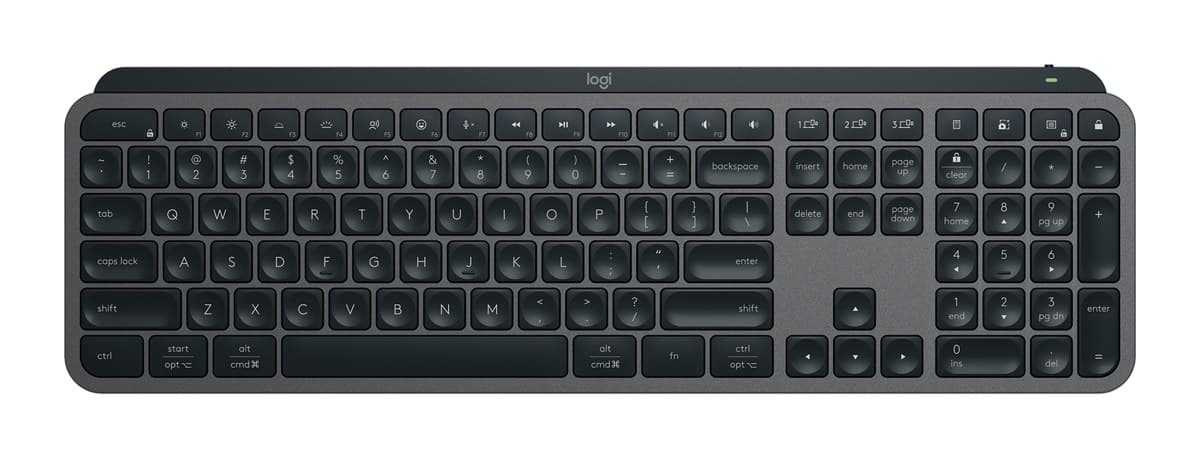
Logitech MX Keys S Wireless Keyboard
The best keyboard for most desks: lovely, quiet low-profile keys, a solid build, a backlight that wakes as your hands get close, and three devices at the press of a key.
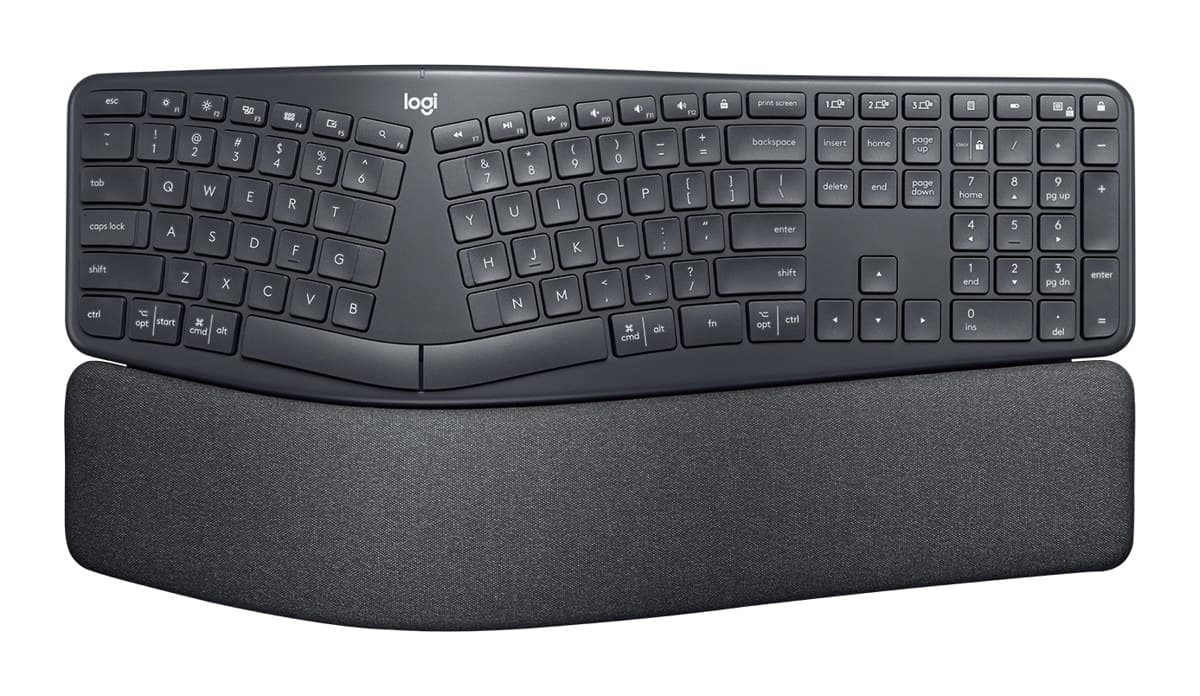
Logitech Ergo K860 Split Ergonomic Keyboard
The best ergonomic keyboard for wrist and arm pain: a curved, split layout, a padded palm rest and legs that tilt it away from you. It takes a few days to get used to.
We earn a commission from these links.
The MX Keys S feels familiar from the first minute, is backlit and is lovely to type on. The K860's curved, split layout and padded palm rest keep your wrists straighter, but it takes days or weeks to learn, is big, and has no backlight.
- —You want a keyboard that feels normal straight away.
- —You type in dim light.
- —Your desk is small.
- —You have wrist, arm or shoulder pain.
- —You touch-type all day.
- —You don't mind relearning for a few days.
Key differences
Pros and cons
- +Lovely, quiet low-profile keys
- +Backlight that wakes as your hands approach
- +Switches between three devices
- −About 10 days per charge with the backlight on; months with it off.
- −Too much delay for competitive gaming.
- −Big and heavy to carry about.
- +Curved, split layout that eases wrist strain
- +Padded palm rest and negative tilt
- +Up to two years on two AAA batteries
- −Expect to type more slowly for the first days.
- −Big and heavy, and the number pad and palm rest are fixed.
- −No backlight.
Ready to choose?
- Is the Logitech MX Keys S worth it?
- Is the Logitech Ergo K860 worth it?
- Logitech MX Keys S vs Logitech MX Keys Mini
- Logitech MX Keys S vs Logitech Wave Keys
- Logitech MX Keys S vs Apple Magic Keyboard with Touch ID
- Logitech Wave Keys vs Logitech Ergo K860
- Best office keyboards
How we reached this verdict
We compared independent expert reviews with the manufacturer's specifications, then checked it's sold at a major retailer where you live. We don't test products ourselves.
Sources: RTINGS, RTINGS, Engadget, Trusted Reviews, manufacturer specifications.