Logitech Wave Keys Wireless Ergonomic Keyboard vs Logitech Ergo K860 Split Ergonomic Keyboard
Get the Logitech Wave Keys. Unless you have real wrist pain and will put in the time to learn a split keyboard — then the Ergo K860.
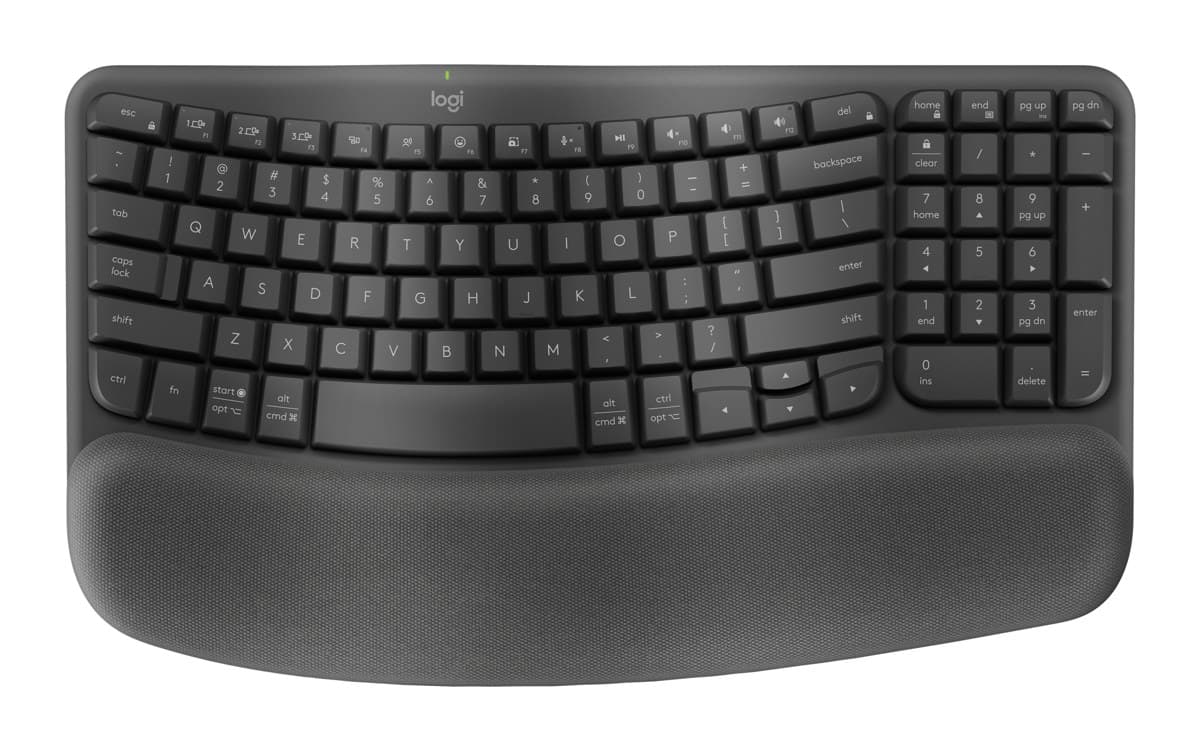
Logitech Wave Keys Wireless Ergonomic Keyboard
An easy first ergonomic keyboard: a gentle wave shape and a cushioned palm rest, very quiet keys and years on two AAA batteries, for much less than a split keyboard.
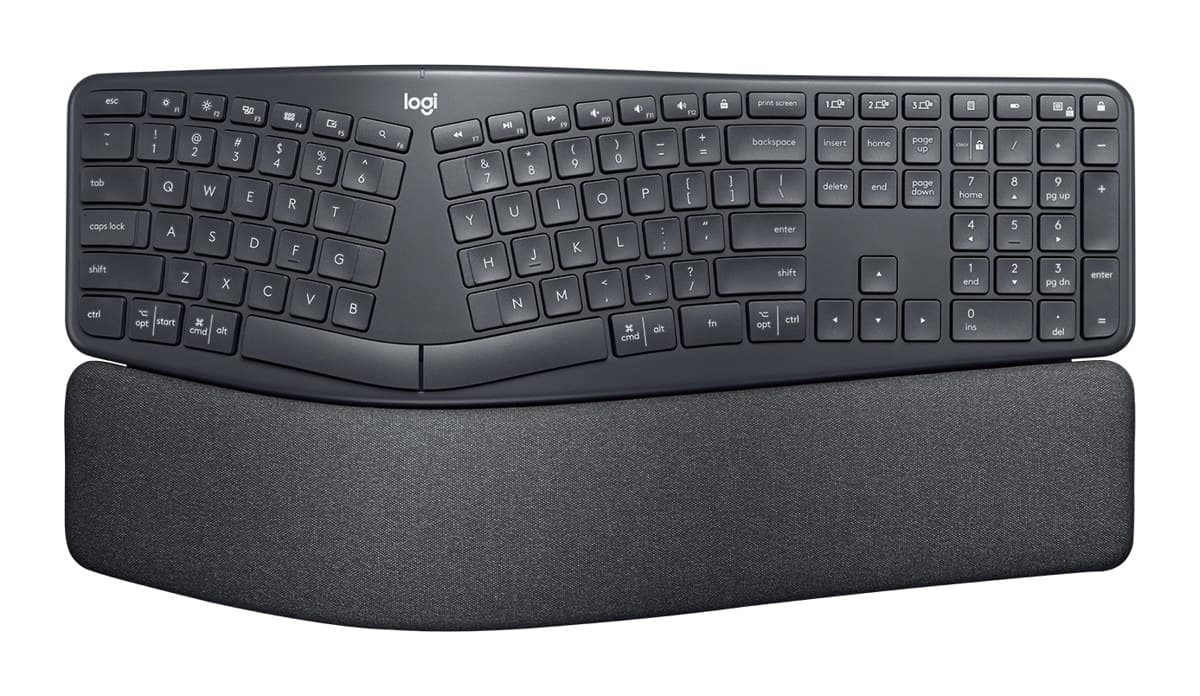
Logitech Ergo K860 Split Ergonomic Keyboard
The best ergonomic keyboard for wrist and arm pain: a curved, split layout, a padded palm rest and legs that tilt it away from you. It takes a few days to get used to.
We earn a commission from these links.
The Wave Keys' gentle wave and palm rest make typing more comfortable with almost no learning curve, and it costs less and takes up less room. The K860's split layout and negative tilt do more for wrist pain, but it takes days or weeks to get used to and is much bigger.
- —It's your first ergonomic keyboard.
- —You want to type normally from day one.
- —You have a smaller desk.
- —You have wrist or arm pain now.
- —You touch-type and will relearn.
- —You have big hands and find the Wave Keys cramped.
Key differences
Pros and cons
- +Gentle wave shape and cushioned palm rest
- +Extremely quiet
- +Up to three years on two AAA batteries
- −Keys sit closer together than on a standard keyboard.
- −No backlight.
- −The palm rest is built in and can't be removed.
- +Curved, split layout that eases wrist strain
- +Padded palm rest and negative tilt
- +Up to two years on two AAA batteries
- −Expect to type more slowly for the first days.
- −Big and heavy, and the number pad and palm rest are fixed.
- −No backlight.
Ready to choose?
- Is the Logitech Wave Keys worth it?
- Is the Logitech Ergo K860 worth it?
- Logitech MX Keys S vs Logitech MX Keys Mini
- Logitech MX Keys S vs Logitech Wave Keys
- Logitech MX Keys S vs Apple Magic Keyboard with Touch ID
- Logitech MX Keys S vs Logitech Ergo K860
- Best office keyboards
How we reached this verdict
We compared independent expert reviews with the manufacturer's specifications, then checked it's sold at a major retailer where you live. We don't test products ourselves.
Sources: RTINGS, RTINGS, Engadget, Trusted Reviews, manufacturer specifications.