Updated 28 Oct 2026
Is the Logitech Signature M650 Wireless Mouse worth it?
Yes — if you want a comfortable work mouse for little money.
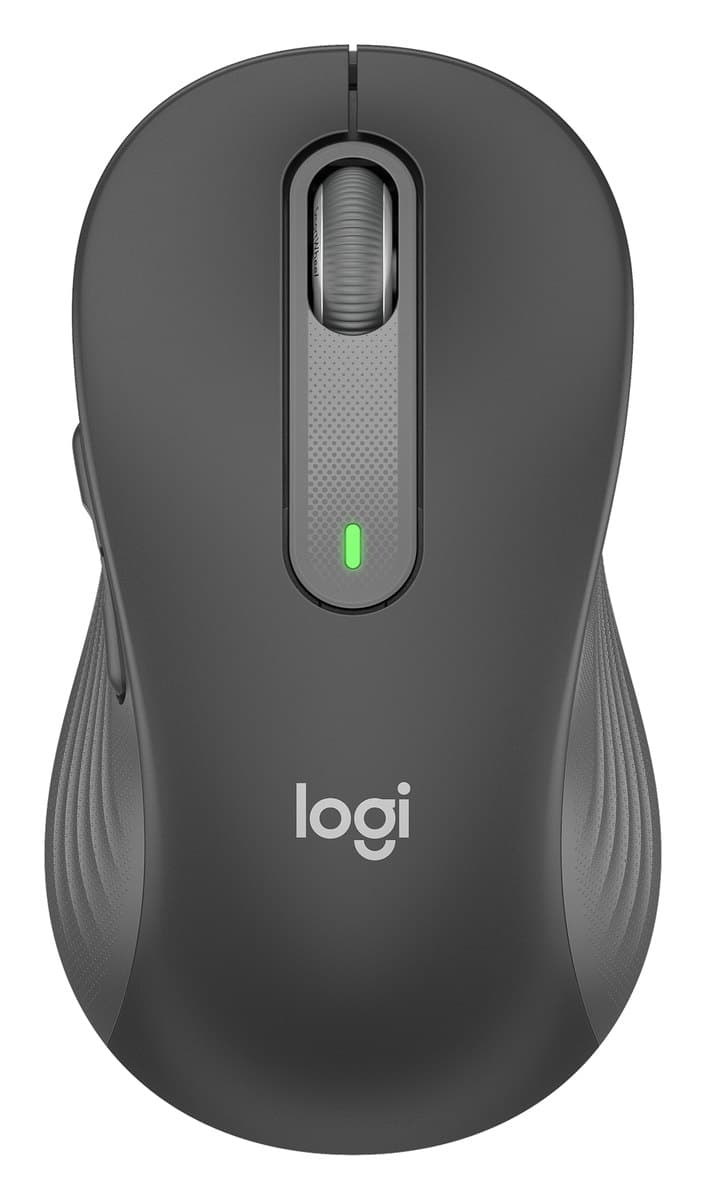
It's a well-built mouse with a contoured shape and two side buttons you can set to shortcuts, media keys or gestures in Logitech's Options+ app. It comes in two sizes, the M650 and the bigger M650 L for large hands, and there's a left-handed model, which is rare. It connects over Bluetooth or its USB receiver and runs on one AA battery. There's no thumb wheel and no proper free-spinning mode, it pairs with only one computer at a time, and for four or more hours a day a true ergonomic mouse is kinder to your wrist.
95%of 135 owners give it 4 or 5 stars
- Comfortable contoured shape, in two sizes
- Left-handed version
- Quiet clicks, Bluetooth or USB receiver
We earn a commission from these links.
What owners say
Owners love how comfortable and quiet it is, and left-handers are glad there's a version for them. The few complaints are a dropping connection, a scroll wheel that's too fast or too slow, and clicks some find too light.
Good to know
- It pairs with only one device at a time.
- No thumb wheel; holding a side button turns the main wheel into a sideways scroll.
- Over a long working day it's less comfortable than a dedicated ergonomic mouse.
- Runs on an AA battery rather than recharging.
From 135 buyer ratings at Currys and Best Buy (Canada), every complaint read by us, October 2026. How we do this
What they love
- Comfortable in the handMentioned a lot
- Quiet clicksMentioned often
- Precise and responsiveAlso mentioned
- Handy, customisable side buttonsAlso mentioned
- Easy to connectAlso mentioned
- Good for left-handersMentioned by some
What they complain about
- Stops responding or drops the connectionRare
Get it if…
- You want a comfortable, quiet mouse for work without spending much.
- You're left-handed, or your hands are large (get the M650 L).
Skip it if…
- Your wrist already aches: a vertical mouse like the Lift changes the angle.
- You switch between several computers: the M720 Triathlon pairs with three.
For the curious
A deeper look at full specs.
Two sizes
The M650 is for small to medium hands; the M650 L is larger, and there's a left-handed L too.
Quiet
The clicks are over 90% quieter than Logitech's M185.
Battery
One AA lasts up to two years on the USB receiver.
Technical specifications
| Sensor | Logitech Advanced Optical Tracking, 400 to 4000 DPI |
|---|---|
| Buttons | 5: left, right, back, forward, wheel click |
| Clicks | SilentTouch, over 90% quieter than the M185 |
| Wheel | SmartWheel, switches between line-by-line and free spin |
| Connection | Logi Bolt USB receiver or Bluetooth Low Energy, 10 m range |
| Battery | 1 AA (included): up to 24 months on Bolt, 20 on Bluetooth |
| Sizes | M650 for small to medium hands; M650 L for large hands (and a left-handed L) |
| Size (M650) | 108.2 × 61 × 38.8 mm, 101.4 g |
| Software | Logi Options+ on Windows and macOS |
From the maker's spec sheet for model Logitech Signature M650, checked October 2026. Versions sold in other countries can differ slightly.
More on the Signature M650
How we reached this verdict
RTINGS calls it a very good office mouse: very well built and comfortable over a long workday, with useful side buttons and gestures, a large version for big hands and a rare left-handed model, though it can't pair with more than one device at once. Tom's Guide (4/5) found it a great all-rounder with two ways to connect, but less comfortable than an ergonomic mouse after more than four hours.
We compared independent expert reviews with the manufacturer's specifications, then checked it's sold at a major retailer where you live. We don't test products ourselves.
Sources: RTINGS, Tom's Guide, Logitech, RTINGS, Engadget, manufacturer specifications.
Updated 28 Oct 2026How we decide