Logitech Signature M650 Wireless Mouse vs Logitech MX Master 3S
Get the Logitech MX Master 3S. Unless you want to spend as little as possible, or your hands are small — then the Signature M650.
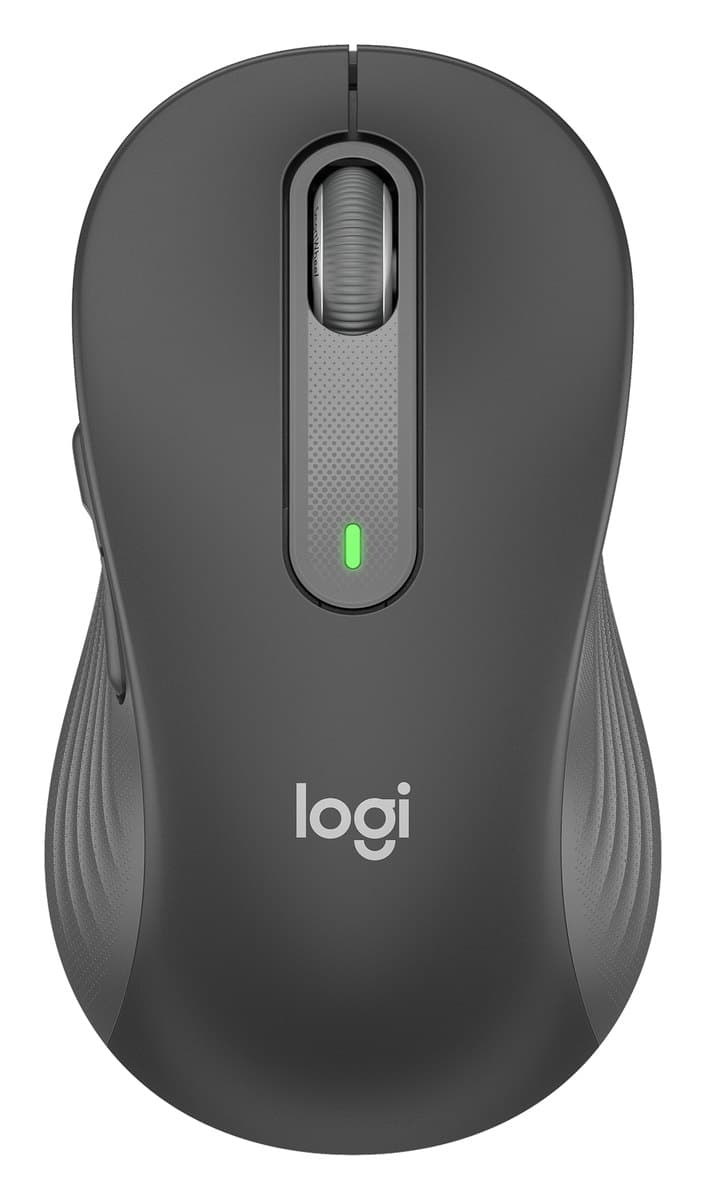
Logitech Signature M650 Wireless Mouse
A cheap, well-built, contoured work mouse with quiet clicks, in a regular size, a large M650 L and a left-handed version. Not vertical, and no thumb wheel.
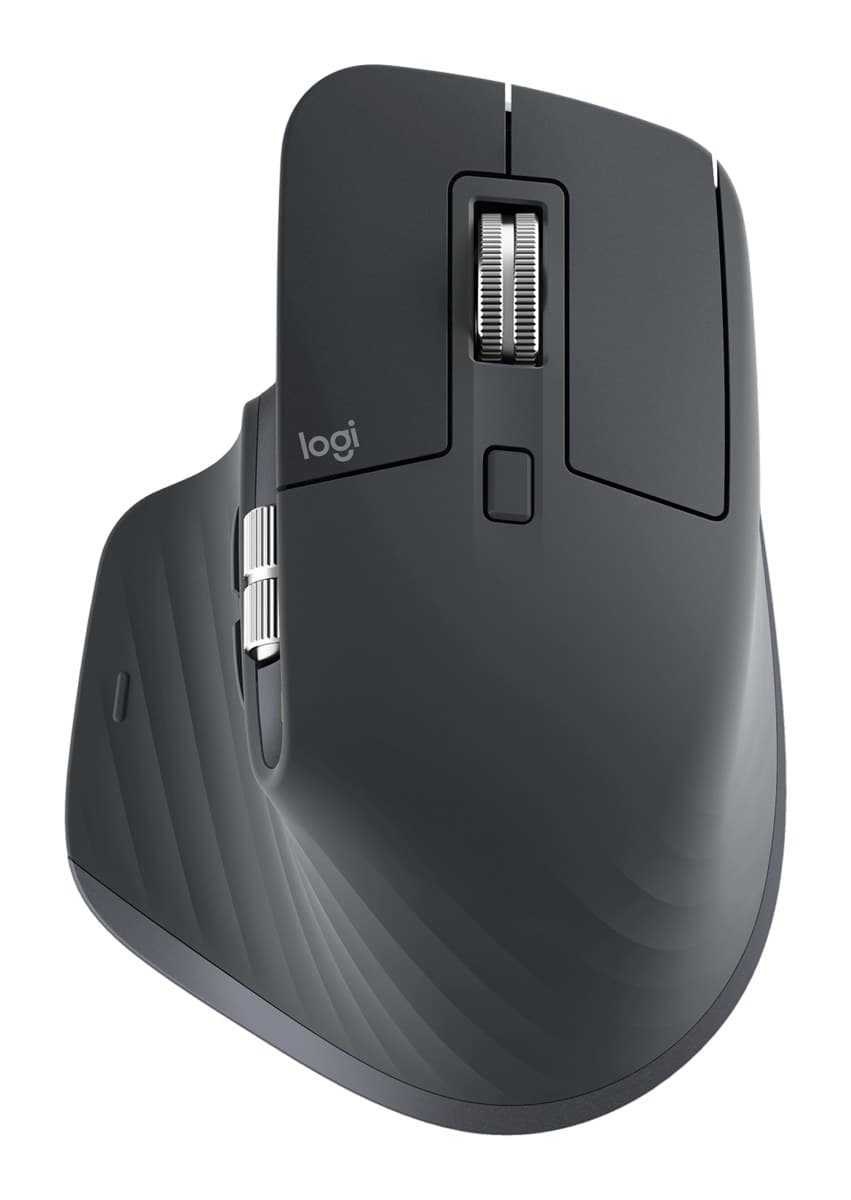
Logitech MX Master 3S
Nearly the same comfortable shape, MagSpeed wheel and quiet clicks as the MX Master 4, for less. You only miss the haptic panel and shortcut ring.
We earn a commission from these links.
The MX Master 3S has a sculpted shape that's comfortable all day, a fast MagSpeed wheel plus a thumb wheel, a rechargeable battery and three devices. The M650 is a fraction of the price and comes in two sizes and a left-handed version, but it has no thumb wheel and pairs with one device.
- —You want a comfortable mouse for little money.
- —You're left-handed.
- —Your hands are small.
- —You work long days in spreadsheets or long documents.
- —You switch between computers.
- —You'd rather recharge than change batteries.
What verified owners report
Only reviews from checked buyers count, and every 1–3 star review is read by us. How we do this
Owners love how comfortable and quiet it is, and left-handers are glad there's a version for them. The few complaints are a dropping connection, a scroll wheel that's too fast or too slow, and clicks some find too light.
- ✓Comfortable in the hand
- ✓Quiet clicks
- ✓Precise and responsive
- −Stops responding or drops the connection
Owners love how comfortable it is, its programmable buttons and its quiet clicks. The main complaint is lag or dropped Bluetooth connections, followed by a shape that some found uncomfortable and Mac or Linux problems.
- ✓Comfortable, fits the hand well
- ✓Programmable buttons and settings
- ✓Quiet clicks
- −Lag, poor range or dropped Bluetooth connection
- −Uncomfortable shape, or caused hand pain
Key differences
Pros and cons
- +Comfortable contoured shape, in two sizes
- +Left-handed version
- +Quiet clicks, Bluetooth or USB receiver
- −It pairs with only one device at a time.
- −No thumb wheel; holding a side button turns the main wheel into a sideways scroll.
- −Over a long working day it's less comfortable than a dedicated ergonomic mouse.
- −Runs on an AA battery rather than recharging.
- +Same comfortable MX Master shape
- +Fast MagSpeed wheel plus a thumb wheel
- +Quiet clicks
- −Big, so it doesn't suit small hands.
- −There's nowhere to store the USB receiver in the mouse.
- −Replaced by the MX Master 4, which adds haptics and a shortcut ring.
For the curious
A deeper look at full specs.
Sensor
400 to 4,000 DPI on the M650; 200 to 8,000 DPI on the MX Master 3S, which also tracks on glass.
Power
One AA for up to 24 months against a rechargeable battery lasting up to 70 days.
Scrolling
The MX Master adds a thumb wheel and two more buttons.
Technical specifications
| Signature M650 | MX Master 3S | |
|---|---|---|
| Sensor | Logitech Advanced Optical Tracking, 400 to 4000 DPI | Darkfield, tracks on glass |
| Buttons | 5: left, right, back, forward, wheel click | 7, with gesture button |
| Clicks | SilentTouch, over 90% quieter than the M185 | — |
| Wheel | SmartWheel, switches between line-by-line and free spin | — |
| Connection | Logi Bolt USB receiver or Bluetooth Low Energy, 10 m range | Bluetooth or Logi Bolt receiver |
| Battery | 1 AA (included): up to 24 months on Bolt, 20 on Bluetooth | Rechargeable, 500 mAh, up to 70 days; 1 minute charge for 3 hours |
| Sizes | M650 for small to medium hands; M650 L for large hands (and a left-handed L) | — |
| Size (M650) | 108.2 × 61 × 38.8 mm, 101.4 g | — |
| Software | Logi Options+ on Windows and macOS | — |
| DPI | — | 200 to 8,000 |
| Scrolling | — | MagSpeed wheel with SmartShift, thumb wheel |
| Size | — | 125 × 84 × 51 mm |
| Weight | — | 141 g |
From the maker's spec sheet for the Signature M650 (Logitech Signature M650) and the MX Master 3S (MX Master 3S), checked October 2026. Versions sold in other countries can differ slightly.
- Is the Signature M650 worth it?
- Is the MX Master 3S worth it?
- MX Master 4 vs MX Master 3S
- MX Master 4 vs Logitech Lift
- Logitech Lift vs MX Vertical
- MX Master 4 vs MX Ergo S
- Best ergonomic mice
How we reached this verdict
We compared independent expert reviews with the manufacturer's specifications, then checked it's sold at a major retailer where you live. We don't test products ourselves.
Sources: RTINGS, Engadget, manufacturer specifications.
Owner reports for the Signature M650: 135 verified buyer ratings at Currys and Best Buy (Canada), read October 2026.
Owner reports for the MX Master 3S: 365 verified buyer ratings at Currys, Otto (Germany) and Best Buy (Canada), read October 2026.