Logitech Alto Keys K98M Wireless Mechanical Keyboard vs Logitech MX Mechanical Wireless Keyboard
Get the Logitech Alto Keys K98M. Unless you want low-profile mechanical keys you can use without a wrist rest — then the MX Mechanical.
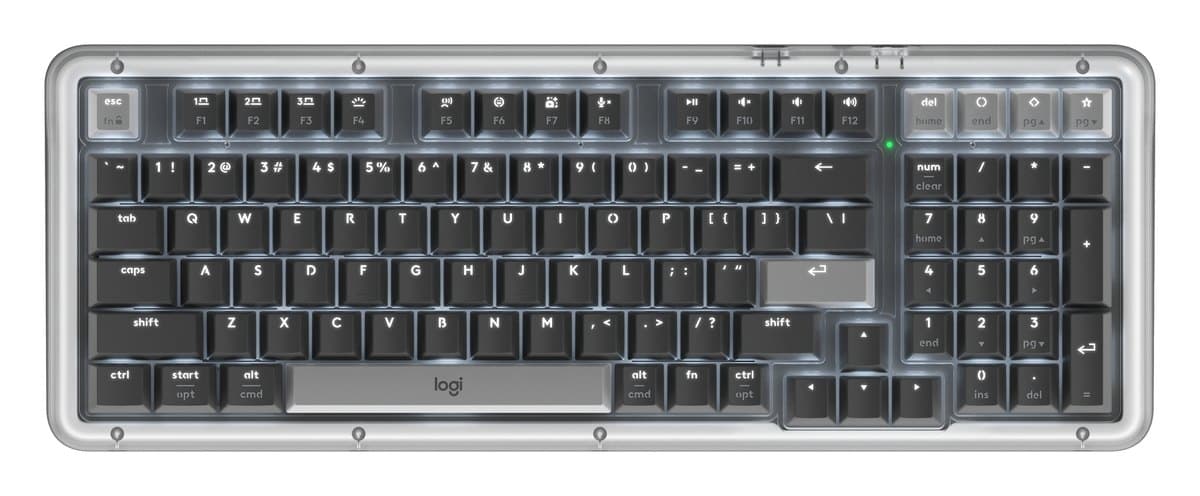
Logitech Alto Keys K98M Wireless Mechanical Keyboard
Logitech's cushioned mechanical keyboard for typing: smooth pre-lubed keys, a compact layout that keeps the number pad, a backlight and three devices. Louder than the MX Keys.
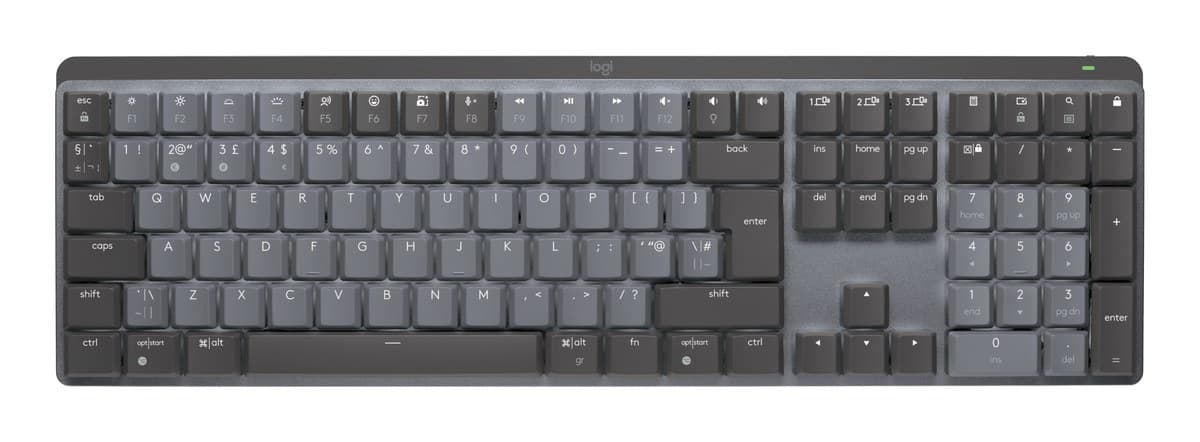
Logitech MX Mechanical Wireless Keyboard
Real mechanical keys in a low, office-friendly board, with the MX Keys' backlight and three-device switching. Louder than the MX Keys S.
We earn a commission from these links.
The K98M has a softer, cushioned typing feel from its gasket-style mount and pre-lubed switches, keeps a number pad in a compact layout, and costs less. The MX Mechanical is lower and rechargeable with a choice of tactile, clicky or linear switches, but costs more.
- —You want the nicest-sounding mechanical keyboard for typing.
- —You want to spend less.
- —You might swap switches later.
- —You want low keys without a wrist rest.
- —You prefer tactile or clicky switches.
- —You want Logitech's low MX profile.
Key differences
Pros and cons
- +Soft, cushioned mechanical typing
- +Compact, with a number pad
- +Backlit, three devices
- −Louder than a scissor-key keyboard, so not for quiet shared offices.
- −Most comfortable with a wrist rest, which isn't included.
- −The software only records simple macros on a few keys.
- +Low-profile mechanical keys
- +Tactile, clicky or linear switches
- +Switches between three devices
- −Some keys can squeak, often the space bar or Shift.
- −No Print Screen key, and the function row sits close to the number row.
- −The backlight can't be left on: it turns off after a few seconds without typing.
- −Works with Logitech's Bolt receiver, not the older Unifying one.
For the curious
A deeper look at full specs.
Layout
98 keys, compact with a number pad, on the Alto Keys; full size on the MX Mechanical.
Battery
Up to 12 months with the light off on the Alto; up to 10 months on the MX.
Technical specifications
| Alto Keys K98M | MX Mechanical | |
|---|---|---|
| Layout | 98 keys, compact with number pad | Full size with number pad |
| Type | Mechanical, wireless | — |
| Backlight | White | Yes, turns on as your hands approach, adjusts to room light |
| Connection | Logi Bolt USB receiver or Bluetooth Low Energy; Easy-Switch between 3 devices | Bluetooth or Logi Bolt receiver (included); up to 3 devices |
| Battery | Rechargeable, up to 12 months with backlight off | Rechargeable, 1,500 mAh: up to 15 days with backlight, 10 months without |
| Special keys | 3 customisable action keys | — |
| Size | 401 × 147 × 39.6 mm | 434 × 132 × 26 mm |
| Weight | 1,100 g | 828 g |
| Software | Logi Options+ on Windows and macOS | — |
From the maker's spec sheet for the Alto Keys K98M (Logitech Alto Keys K98M (US)) and the MX Mechanical (MX Mechanical, Tactile Quiet), checked October 2026. Versions sold in other countries can differ slightly.
- Is the Alto Keys K98M worth it?
- Is the MX Mechanical worth it?
- Logitech MX Keys S vs Logitech MX Keys Mini
- Logitech MX Keys S vs Logitech Wave Keys
- Logitech MX Keys S vs Apple Magic Keyboard with Touch ID
- Logitech MX Keys S vs Logitech Ergo K860
- Best office keyboards
How we reached this verdict
We compared independent expert reviews with the manufacturer's specifications, then checked it's sold at a major retailer where you live. We don't test products ourselves.
Sources: RTINGS, RTINGS, Engadget, Trusted Reviews, manufacturer specifications.