Razer BlackWidow V4 75% vs Keychron K2 HE
Get the Keychron K2 HE. Unless you want hot-swappable mechanical switches with a wrist rest in the box — then the Razer BlackWidow V4 75%.
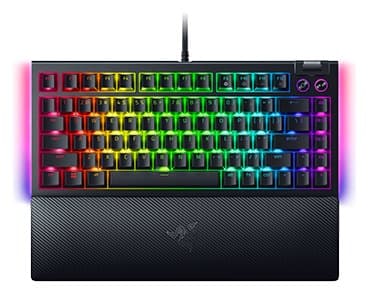
Razer BlackWidow V4 75%
A compact, hot-swappable mechanical keyboard that types and sounds lovely, with very low latency and a wrist rest. Some owners report keys double-typing.
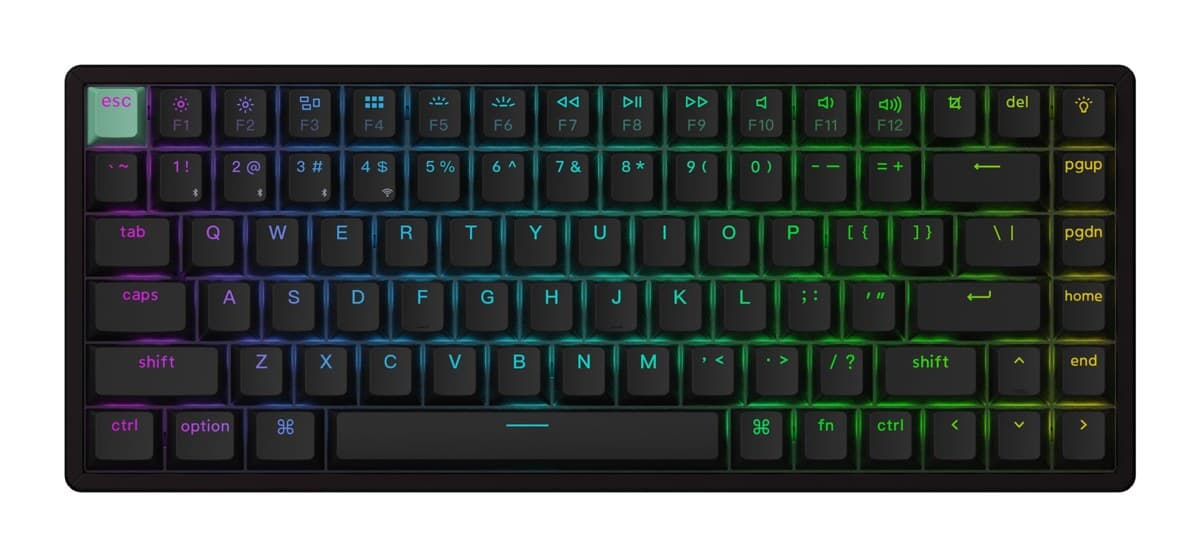
Keychron K2 HE
A compact wireless keyboard with adjustable magnetic switches and rapid trigger, extremely quiet to type on, for much less than the esports boards.
We earn a commission from these links.
The K2 HE is wireless with adjustable magnetic switches and rapid trigger, and it's extremely quiet, for less. The BlackWidow V4 75% feels and sounds lovely with hot-swappable switches and includes a wrist rest, but it's wired only and owners often report key chatter.
- —You want to swap in different mechanical switches.
- —You want a wrist rest included.
- —You like a tactile bump.
- —You play competitive shooters.
- —You want wireless.
- —You want a very quiet board.
Key differences
Pros and cons
- +Lovely sound and feel
- +Hot-swappable switches
- +Very low latency, wrist rest included
- −Many owners report key chatter (a key typing twice).
- −Wired only.
- −The early tactile bump of the Orange switches takes getting used to.
- −Some stabiliser rattle, and the media keys are only partly programmable.
- +Magnetic switches with rapid trigger
- +2.4 GHz, Bluetooth and wired
- +Extremely quiet to type on
- −The case is tall, so most people will want a separate wrist rest.
- −Bluetooth runs at a low polling rate: game on the 2.4 GHz dongle or the cable.
- −Only a few switch types fit it, all linear.
For the curious
A deeper look at full specs.
Switches
Tactile mechanical, hot-swappable, on the Razer; adjustable magnetic switches with rapid trigger on the Keychron.
Wireless
Wired only on the Razer; 2.4 GHz and Bluetooth too on the Keychron.
Technical specifications
| BlackWidow V4 75% | K2 HE | |
|---|---|---|
| Layout | 75% with function row and arrow keys | 75% (ANSI; ISO and JIS versions also listed) |
| Connection | Wired, detachable USB-C cable | 2.4 GHz, Bluetooth (up to 3 devices) and USB-C wired; 1000 Hz polling |
| Switches | Razer mechanical (tactile), hot-swappable | Gateron double-rail magnetic, hot-swappable |
| Actuation | — | Adjustable per key, 0.2 to 3.8 mm, with Rapid Trigger |
| Build | 5052 aluminium top case, sound-dampening foam, lubricated stabilisers | Aluminium frame, tray mount; double-shot Cherry-profile keycaps |
| Battery | — | 4,000 mAh, up to 110 hours |
| Backlight | — | North-facing RGB |
| Software | — | QMK firmware, Keychron Launcher web app; macOS, Windows, Linux |
| N-key rollover | — | Yes, wireless and wired |
| Size and weight | — | 316.4 × 126.7 mm, 980 g |
| Keycaps | Doubleshot ABS | — |
| Polling | Up to 8,000 Hz | — |
| Extras | Magnetic leatherette wrist rest, media roller and 2 media keys, Snap Tap | — |
| Lighting | Razer Chroma RGB with underglow strips | — |
| Memory | Up to 5 onboard profiles | — |
From the maker's spec sheet for the BlackWidow V4 75% (Razer BlackWidow V4 75% (US)) and the K2 HE (Keychron K2 HE (fully assembled)), checked October 2026. Versions sold in other countries can differ slightly.
- Is the BlackWidow V4 75% worth it?
- Is the K2 HE worth it?
- K2 HE vs Huntsman V3 Pro TKL
- K2 HE vs G515 TKL
- K2 HE vs Apex Pro TKL Gen 3
- Huntsman V3 Pro TKL vs Apex Pro TKL Gen 3
- Best gaming keyboards
How we reached this verdict
We compared independent expert reviews with the manufacturer's specifications, then checked it's sold at a major retailer where you live. We don't test products ourselves.
Sources: RTINGS, Tom's Guide, PC Gamer, manufacturer specifications.