ASUS ROG Azoth vs Keychron K2 HE
Get the Keychron K2 HE. Unless you want a premium custom-keyboard feel with an OLED screen — then the ASUS ROG Azoth.
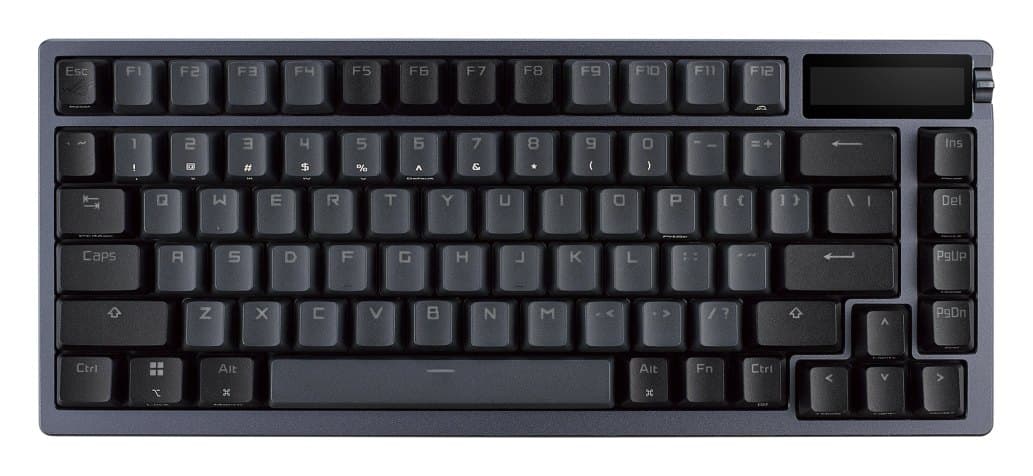
ASUS ROG Azoth
A premium compact wireless keyboard with a gasket mount, hot-swappable switches and a small OLED screen. Exceptional latency, lovely to type on, and very expensive.
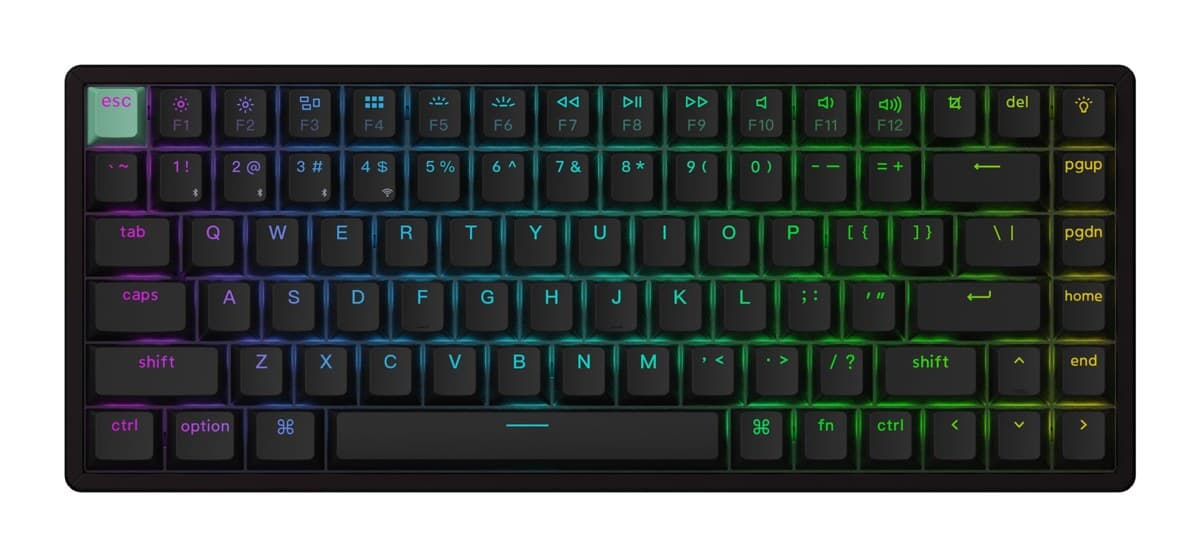
Keychron K2 HE
A compact wireless keyboard with adjustable magnetic switches and rapid trigger, extremely quiet to type on, for much less than the esports boards.
We earn a commission from these links.
Both are compact 75% wireless boards. The K2 HE costs much less and adds adjustable magnetic switches with rapid trigger, and it's extremely quiet; the Azoth has exceptionally low latency, hot-swappable switches, a gasket mount and an OLED screen, but costs far more.
- —You want the best build and typing feel.
- —You'd swap switches.
- —You'd use the OLED screen.
- —You play competitive shooters.
- —You want to spend much less.
- —You want a very quiet board.
Key differences
Pros and cons
- +Gasket mount, lovely to type on
- +Wireless, with an OLED screen
- +Hot-swappable switches
- −Very expensive.
- −Tall, so you'll want a wrist rest.
- −No number pad or dedicated macro keys.
- −Some owners report keys typing twice.
- +Magnetic switches with rapid trigger
- +2.4 GHz, Bluetooth and wired
- +Extremely quiet to type on
- −The case is tall, so most people will want a separate wrist rest.
- −Bluetooth runs at a low polling rate: game on the 2.4 GHz dongle or the cable.
- −Only a few switch types fit it, all linear.
For the curious
A deeper look at full specs.
Switches
Mechanical on the Azoth, with a mod kit; magnetic with adjustable actuation on the Keychron.
Both
Both connect by cable, 2.4 GHz or Bluetooth, at 1,000 Hz.
Technical specifications
| ROG Azoth | K2 HE | |
|---|---|---|
| Connection | USB-C wired, Bluetooth 5.1 and 2.4 GHz | 2.4 GHz, Bluetooth (up to 3 devices) and USB-C wired; 1000 Hz polling |
| Polling | 1,000 Hz | — |
| Lighting | Per-key RGB, AURA Sync | — |
| Keys | N-key rollover; all keys programmable | — |
| Keycaps | PBT | — |
| Mod kit | Switch opener, keycap and switch pullers, lube station, brush and lube, 3 spare ROG NX switches, 8 stabiliser mats | — |
| Cable | 2 m braided USB-A to USB-C | — |
| Software | Armoury Crate; Windows 11, macOS 10.11 or later | QMK firmware, Keychron Launcher web app; macOS, Windows, Linux |
| Size | 326 × 136 × 40 mm | — |
| Weight | 1,186 g | — |
| Layout | — | 75% (ANSI; ISO and JIS versions also listed) |
| Switches | — | Gateron double-rail magnetic, hot-swappable |
| Actuation | — | Adjustable per key, 0.2 to 3.8 mm, with Rapid Trigger |
| Build | — | Aluminium frame, tray mount; double-shot Cherry-profile keycaps |
| Battery | — | 4,000 mAh, up to 110 hours |
| Backlight | — | North-facing RGB |
| N-key rollover | — | Yes, wireless and wired |
| Size and weight | — | 316.4 × 126.7 mm, 980 g |
From the maker's spec sheet for the ROG Azoth (ASUS ROG Azoth) and the K2 HE (Keychron K2 HE (fully assembled)), checked October 2026. Versions sold in other countries can differ slightly.
- Is the ROG Azoth worth it?
- Is the K2 HE worth it?
- K2 HE vs Huntsman V3 Pro TKL
- K2 HE vs G515 TKL
- K2 HE vs Apex Pro TKL Gen 3
- Huntsman V3 Pro TKL vs Apex Pro TKL Gen 3
- Best gaming keyboards
How we reached this verdict
We compared independent expert reviews with the manufacturer's specifications, then checked it's sold at a major retailer where you live. We don't test products ourselves.
Sources: RTINGS, Tom's Guide, PC Gamer, manufacturer specifications.