Updated 20 Oct 2026
Is the Apple Magic Keyboard with Touch ID and Numeric Keypad (USB-C) worth it?
Yes — if you use a Mac with Apple silicon and want Touch ID.
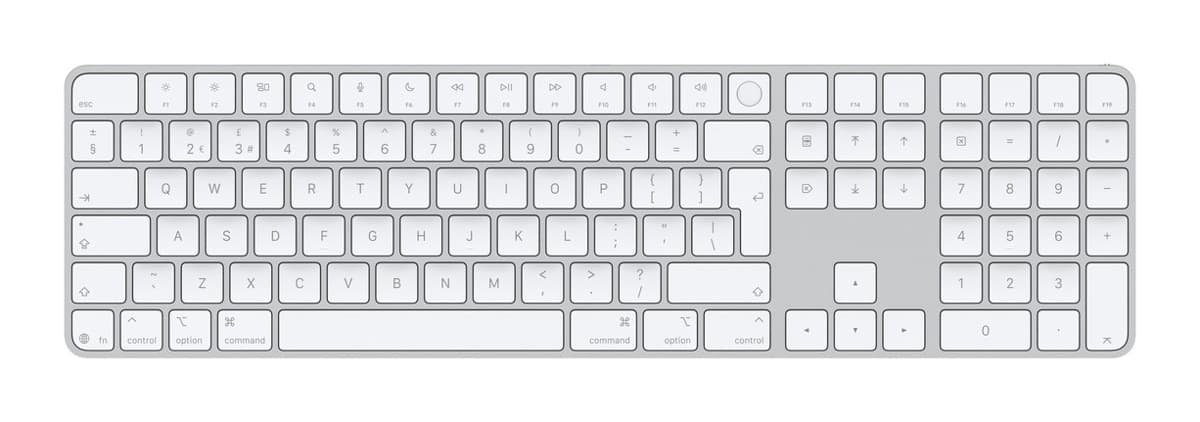
It's thin, light and excellently built, with crisp, low-travel keys, a full number pad and a Touch ID key that unlocks your Mac and signs you in. The current model charges over USB-C, lasts about a month or more per charge and needs macOS 15.1 or later. Touch ID only works with Macs that have Apple silicon, not iPads or iPhones, it pairs with one device at a time, there's no backlight, and some find the short key travel lifeless. It costs much more than the MX Keys S.
Good to know
- Touch ID doesn't work with an iPad or iPhone.
- Pairs with one device at a time.
- No backlight, and the keys can't be reprogrammed.
- Touch ID to unlock your Mac
- Excellent build, thin and light
- Great typing quality
We earn a commission from these links.
Get it if…
- You have a Mac with Apple silicon and want Touch ID at your desk.
- You want a keyboard that matches your Mac.
Skip it if…
- You switch between several computers: the MX Keys S pairs with three.
- You want a backlight: the MX Keys S has one.
More on the Apple Magic Keyboard with Touch ID
How we reached this verdict
RTINGS rates it its best keyboard for Mac, for its excellent build and great typing quality, but notes it pairs with one device and Touch ID doesn't work on iPad or iPhone. RTINGS tested the earlier Lightning version; AppleInsider's hands-on with this USB-C model found the port is the only real change, with still no backlight. Macworld notes the low travel can feel lifeless.
We compared independent expert reviews with the manufacturer's specifications, then checked it's sold at a major retailer where you live. We don't test products ourselves.
Sources: RTINGS, AppleInsider, Macworld, Apple, RTINGS, RTINGS, Engadget, Trusted Reviews, manufacturer specifications.
Updated 20 Oct 2026How we decide