Updated 20 Oct 2026
Is the Logitech MX Master 4 worth it?
Yes — the best ergonomic mouse for most people.
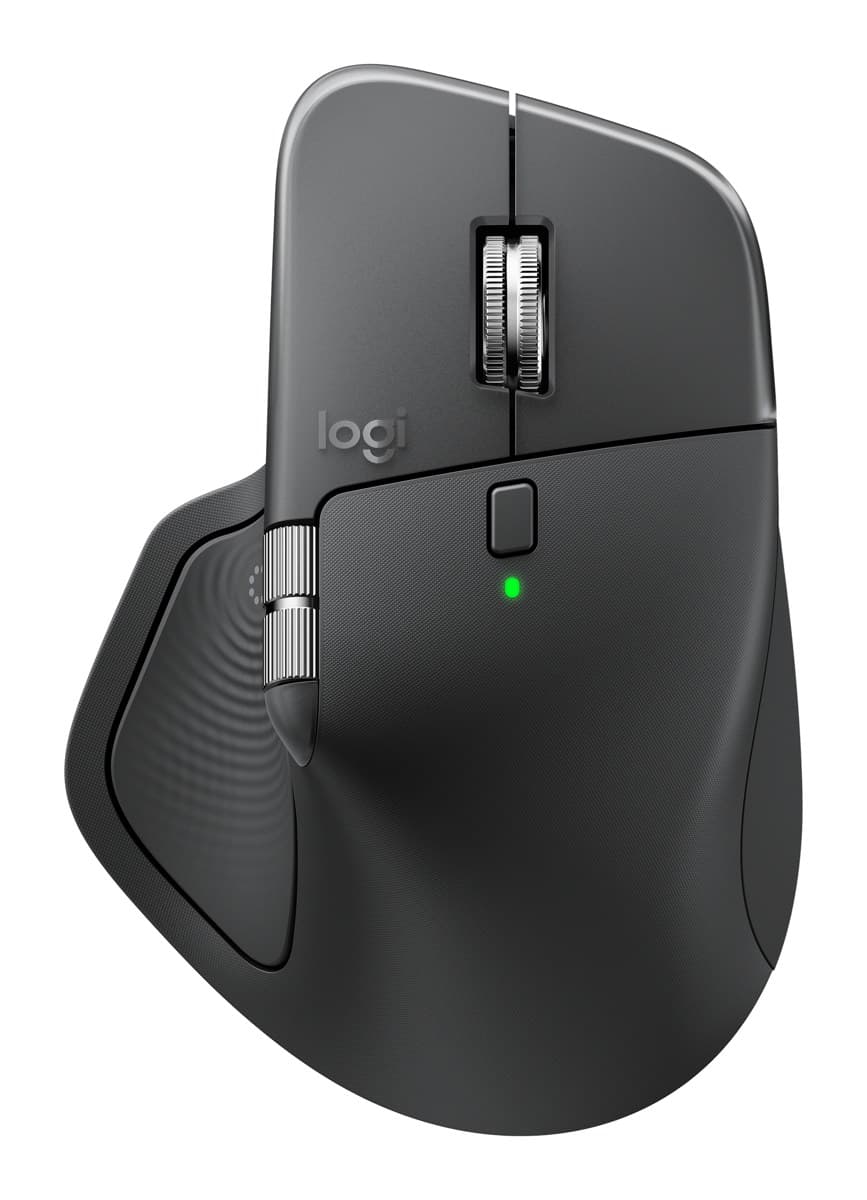
Its hand-filling shape supports your palm without asking you to change how you hold a mouse. The MagSpeed wheel flicks between notched and free-spinning scrolling on its own, a thumb wheel scrolls sideways, the clicks are very quiet and one charge lasts about 70 days. It connects to three devices over Logi Bolt or Bluetooth, and a new haptic thumb panel opens a ring of shortcuts. It's heavy at about 150 g, too big for small hands, and the haptics and gestures need Logitech's Options+ app running.
83%of 321 owners give it 4 or 5 stars
- Comfortable, hand-filling shape
- Fast MagSpeed wheel plus a thumb wheel
- Very quiet clicks, about 70 days per charge
We earn a commission from these links.
What owners say
Owners love how comfortable it is, its programmable buttons and shortcuts, and its build. The main complaint is that it's less comfortable than the older MX Master 3S, followed by a slippery finish that's hard to grip.
Good to know
- Heavy at about 150 g.
- The haptic panel, gestures and button settings need Logitech's Options+ app running in the background.
- The thumb wheel feels cheaper than the main wheel, and the side buttons are hard to tell apart by touch.
From 321 buyer ratings at Currys and Best Buy (Canada), every complaint read by us, October 2026. How we do this
What they love
- Comfortable for long work sessionsMentioned a lot
- Programmable buttons, shortcuts and Actions RingMentioned a lot
- Well built, quality materialsAlso mentioned
- Haptic feedbackAlso mentioned
- Smooth scroll wheels, including sidewaysAlso mentioned
What they complain about
- Less comfortable than the older MX Master 3SOccasional
- Slippery, hard to grip or liftRare
- Thumb panel easy to press by mistakeRare
Get it if…
- You work at a computer all day and want a more comfortable mouse without learning a new grip.
- You scroll long documents or spreadsheets and switch between computers.
Skip it if…
- You have small hands: the Lift fits better.
- You want to save money: the MX Master 3S is nearly the same mouse for less.
More on the MX Master 4
How we reached this verdict
RTINGS rates it its best ergonomic mouse: superb build, two wheels, a scroll wheel that switches to free-spin by itself and very quiet clicks, though it's not for small hands and its extras need the software. Tom's Guide (4.5/5, Editor's Choice) calls it an evolution rather than a revolution and finds the haptics gimmicky, Trusted Reviews gives it 4.5/5, and TechRadar praises the comfort and battery but finds it heavy and the thumb wheel cheap. PCWorld (4/5) also notes the weight.
We compared independent expert reviews with the manufacturer's specifications, then checked it's sold at a major retailer where you live. We don't test products ourselves.
Sources: RTINGS, Tom's Guide, TechRadar, Trusted Reviews, PCWorld, Logitech, RTINGS, Engadget, Expert Reviews, manufacturer specifications.
Updated 20 Oct 2026How we decide