Logitech K400 Plus Wireless Touch Keyboard vs Logitech Signature K650 Wireless Keyboard
Get the Logitech Signature K650 for a desk. Unless the keyboard is for a PC on your TV — then the K400 Plus, with its built-in touchpad.
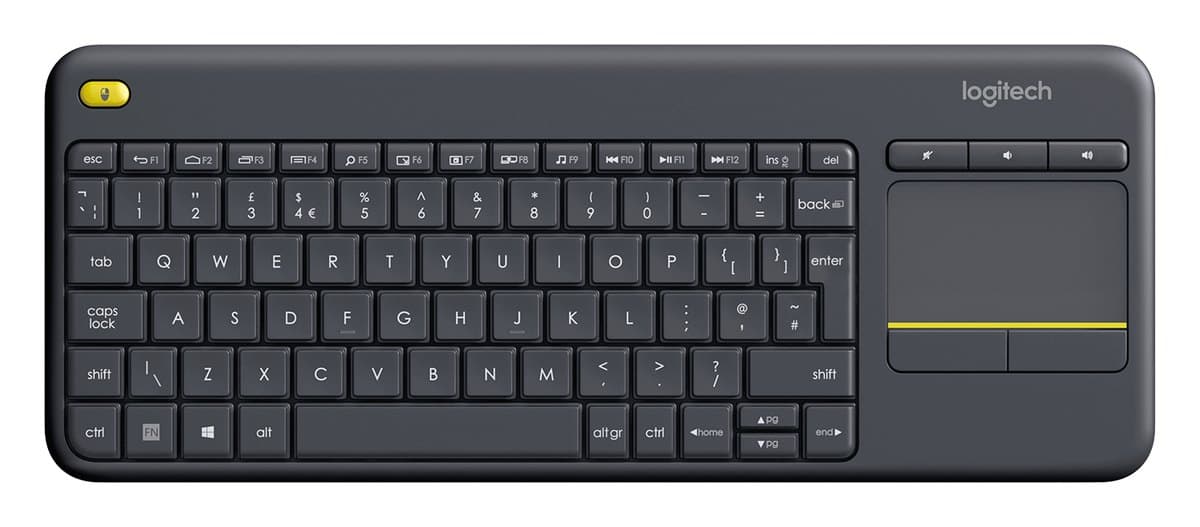
Logitech K400 Plus Wireless Touch Keyboard
A cheap, quiet keyboard with a built-in touchpad, for a PC plugged into the TV. Not one for a desk: cramped keys, no Bluetooth and no backlight.
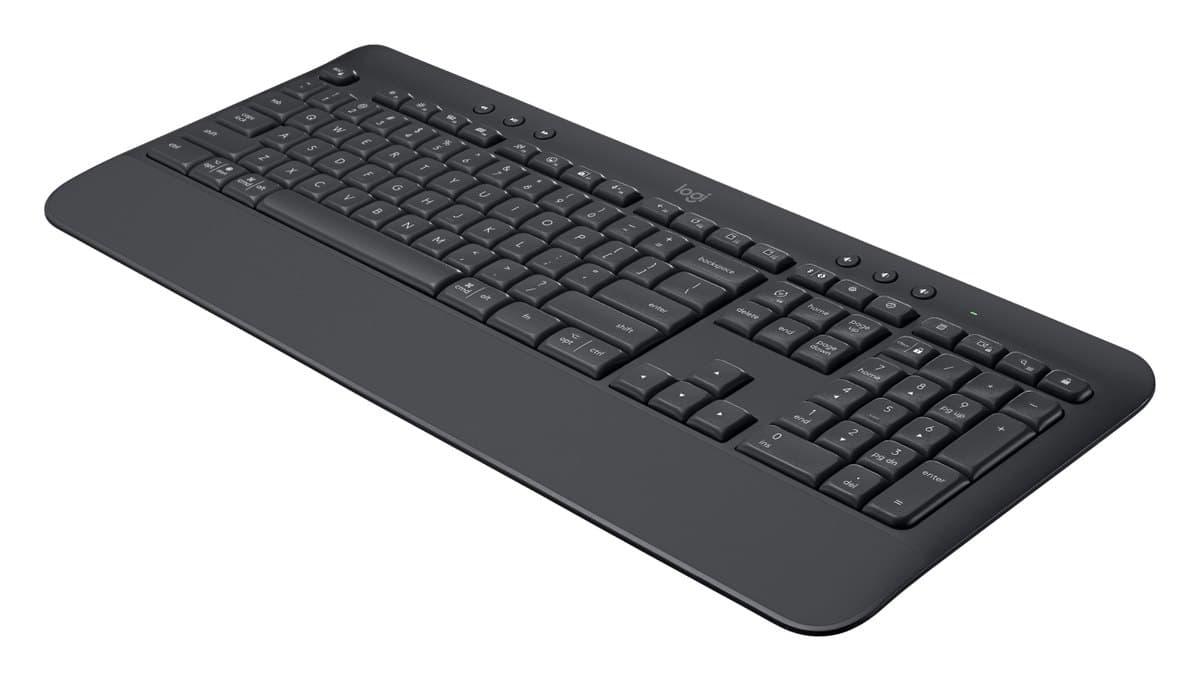
Logitech Signature K650 Wireless Keyboard
A cheap, quiet full-size keyboard with a number pad, a built-in palm rest and handy shortcut keys. No backlight, and one device at a time.
We earn a commission from these links.
The K650 is a proper full-size desk keyboard with comfortable, well-spaced keys, a number pad and Bluetooth. The K400 Plus puts a keyboard and touchpad in one light unit for the sofa, but its keys are cramped, it flexes and it's receiver-only.
- —You control a media PC on the TV from the sofa.
- —You want one device instead of a keyboard and mouse.
- —You want it as cheap as possible.
- —You type at a desk.
- —You type a lot of numbers.
- —You want Bluetooth for a tablet or Mac.
What verified owners report
Only reviews from checked buyers count, and every 1–3 star review is read by us. How we do this
Owners love how easy it is to set up and use from the sofa with a TV or laptop, with the touchpad built in. The complaints are a touchpad that's laggy or hard to use, a flimsy, rattly build, smart TV apps it doesn't fully work with, and cramped keys.
- ✓Easy to set up
- ✓Compact and light
- ✓Great for a TV or the sofa
- −Touchpad laggy, unresponsive or hard to use
- −Cheap, flimsy build that flexes or rattles
Owners mostly find it pleasant to type on and easy to connect. The complaints are a layout missing keys some need, one that arrived without its receiver and one that didn't work.
- ✓Pleasant to type on
- ✓Easy to connect, reliable wireless
- ✓Solid and stable
None came up often enough to list.
Key differences
Pros and cons
- +Keyboard and touchpad in one
- +Very quiet
- +Cheap
- −USB receiver only, with no Bluetooth.
- −No backlight, so it's hard to read in a dark room.
- −Tight key spacing makes typos easy.
- −The plastic body flexes and the keys feel slippery.
- −Limited support on a Mac.
- +Quiet keys and a full number pad
- +Built-in palm rest
- +Lots of shortcut keys, Mac and Windows
- −No backlight.
- −Pairs with one device at a time over Bluetooth.
- −The keys can feel a little squishy.
- −The palm rest is part of the keyboard and doesn't add much comfort.
For the curious
A deeper look at full specs.
Touchpad
Only the K400 Plus has one, so it works without a mouse.
Size
354 mm wide with no number pad, against 457 mm with a number pad and palm rest.
Battery
Up to 18 months against 36.
Technical specifications
| K400 Plus | Signature K650 | |
|---|---|---|
| Type | Compact keyboard with built-in touchpad | — |
| Touchpad | 76 × 47 mm | — |
| Connection | Logitech Unifying receiver (2.4 GHz), over 10 m range | Logi Bolt USB receiver or Bluetooth Low Energy 5.1, 10 m range; one device at a time |
| Battery | 2 AA (included), up to 18 months | — |
| Media keys | Mute, volume up, volume down | — |
| Typing noise | Within 55 dBA | — |
| Key life | Up to 5 million keystrokes | — |
| Size | 354.3 × 139.9 × 23.5 mm | 457.3 × 193.5 × 24 mm |
| Weight | 390 g | 700 g with batteries |
| Layout | — | Full size with number pad and built-in palm rest |
| Keys | — | Quiet membrane keys; no backlight |
| Battery life | — | Up to 36 months |
| Spills | — | Survives spills up to 60 ml |
| Shortcut keys | — | Mic mute, dictation, screen capture |
| Software | — | Logi Options+ on Windows and macOS |
From the maker's spec sheet for the K400 Plus (Logitech K400 Plus) and the Signature K650 (Logitech Signature K650), checked October 2026. Versions sold in other countries can differ slightly.
- Is the K400 Plus worth it?
- Is the Signature K650 worth it?
- Logitech MX Keys S vs Logitech MX Keys Mini
- Logitech MX Keys S vs Logitech Wave Keys
- Logitech MX Keys S vs Apple Magic Keyboard with Touch ID
- Logitech MX Keys S vs Logitech Ergo K860
- Best office keyboards
How we reached this verdict
We compared independent expert reviews with the manufacturer's specifications, then checked it's sold at a major retailer where you live. We don't test products ourselves.
Sources: RTINGS, RTINGS, Engadget, Trusted Reviews, manufacturer specifications.
Owner reports for the K400 Plus: 617 verified buyer ratings at Currys, read October 2026.
Owner reports for the Signature K650: 26 verified buyer ratings at Currys and Best Buy (Canada), read October 2026.