Logitech MX Keys Mini Wireless Keyboard vs Logitech Pebble Keys 2 K380s Bluetooth Keyboard
Get the Logitech MX Keys Mini. Unless it's mostly for a tablet or travel, or you want to spend as little as possible — then the Pebble Keys 2.
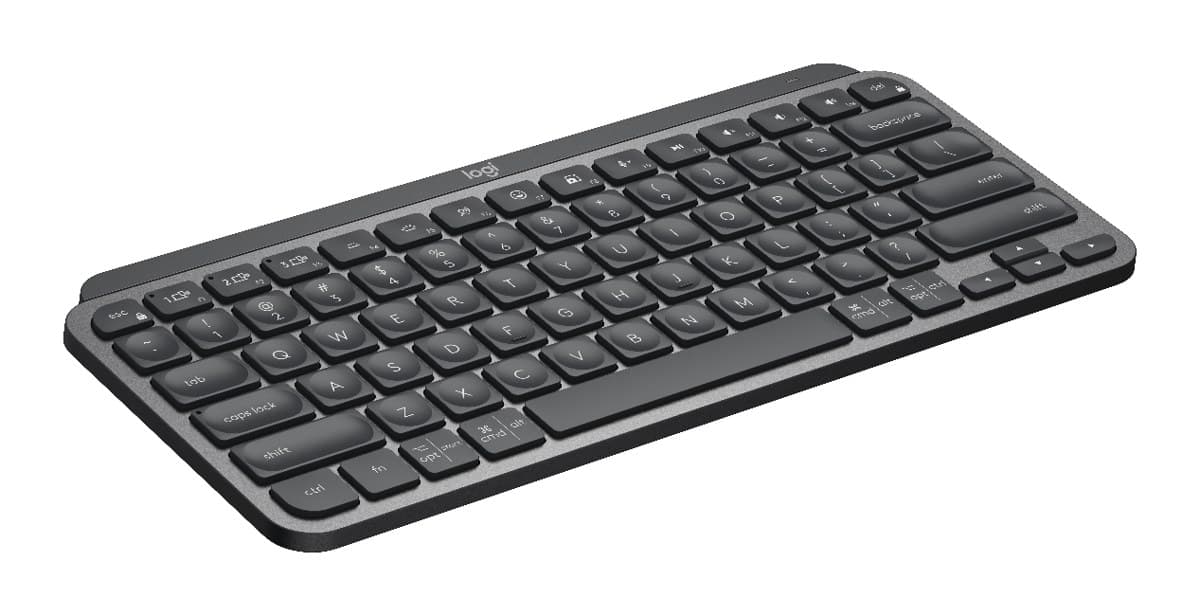
Logitech MX Keys Mini Wireless Keyboard
The MX Keys' lovely, backlit keys in a compact board with no number pad, so it fits a small desk or a laptop bag and leaves room for your mouse.
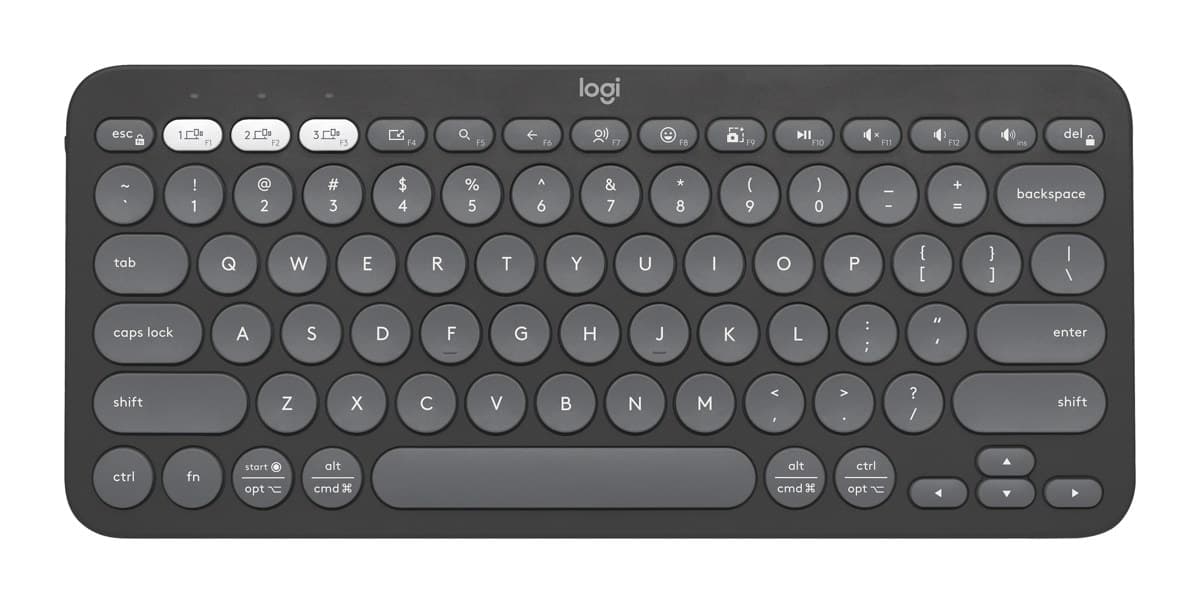
Logitech Pebble Keys 2 K380s Bluetooth Keyboard
A cheap, light and very quiet Bluetooth keyboard for a tablet, a laptop or travel. It pairs with three devices and runs for years on two AAA batteries.
We earn a commission from these links.
The MX Keys Mini has much nicer, full-size keys, a bright backlight and a rechargeable battery. The Pebble Keys 2 is lighter, very quiet and a fraction of the price, but its round, close-set keys take getting used to and it has no backlight.
- —You type a lot on it.
- —You type in dim light.
- —You want a premium feel.
- —It's for an iPad, tablet or travel.
- —You want the cheapest good keyboard.
- —You'd rather not recharge it.
Key differences
Pros and cons
- +Great typing feel in a small board
- +Bright backlight
- +Pairs with three devices
- −No number pad, and Home and End keys are missing.
- −The tilt is fixed.
- −The Bolt receiver costs extra; it works over Bluetooth without one.
- +Light and easy to carry
- +Very quiet
- +Pairs with three devices
- −Round, close-set keys take some getting used to.
- −No backlight, number pad or adjustable feet.
- −Bluetooth only, unless you buy a Bolt receiver.
Ready to choose?
- Is the Logitech MX Keys Mini worth it?
- Is the Logitech Pebble Keys 2 K380s worth it?
- Logitech MX Keys S vs Logitech MX Keys Mini
- Logitech MX Keys S vs Logitech Wave Keys
- Logitech MX Keys S vs Apple Magic Keyboard with Touch ID
- Logitech MX Keys S vs Logitech Ergo K860
- Best office keyboards
How we reached this verdict
We compared independent expert reviews with the manufacturer's specifications, then checked it's sold at a major retailer where you live. We don't test products ourselves.
Sources: RTINGS, RTINGS, Engadget, Trusted Reviews, manufacturer specifications.